List View
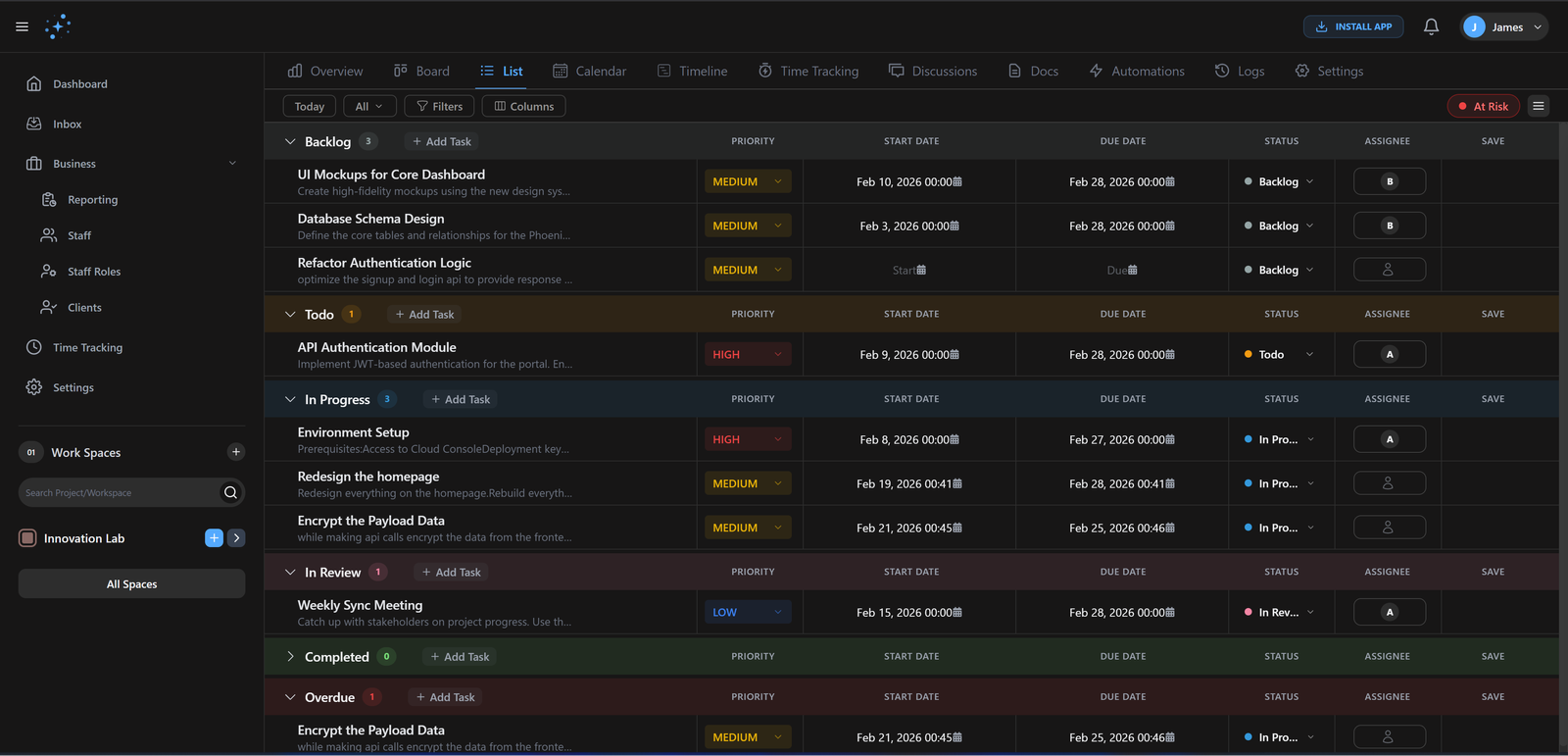
Sometimes, the classic way is the best way. Our List View provides a clean, distraction-free interface for high-velocity task management.
Unlimited
Tasks/List
<10ms
Sort Speed
How it works
Get up and running with List View in three simple steps.
Quick Capture
Hit 'C' to add tasks instantly without leaving the keyboard.
Organize
Group by Assignee, Priority, or Status with one click.
Bulk Edit
Select multiple tasks to update properties instantly.
Bulk Management
Update statuses, assignees, or due dates for dozens of tasks at once. Our bulk actions save you hours of repetitive clicking.
Nested Task Trees
Break down complex projects into small, manageable pieces with unlimited levels of subtasks and dependencies.
Gennie vs. Legacy Tools
Why high-performing teams are making the switch.
| Capability | Gennie | Alternative |
|---|---|---|
| Editing | Excel-like Inline | Slow Modals |
| Selection | Shift+Click Range | Individual Only |
| Grouping | Any Field | Limited |
Built for elite teams
Engineered to eliminate friction and accelerate delivery.
Power User Tools
Keyboard shortcuts, bulk operations, and advanced filters make you incredibly productive.
Laser Focus
Zero distractions. Just you and your tasks. Get more done in less time.
Find Anything
Powerful search and filters help you find any task instantly, no matter how large your list.
Common Questions
Find answers to frequently asked questions about List View.
Ready to ship
faster?
Join 1,000+ teams using Gennie to build the future. Zero setup cost, zero credit card required.