Client Management
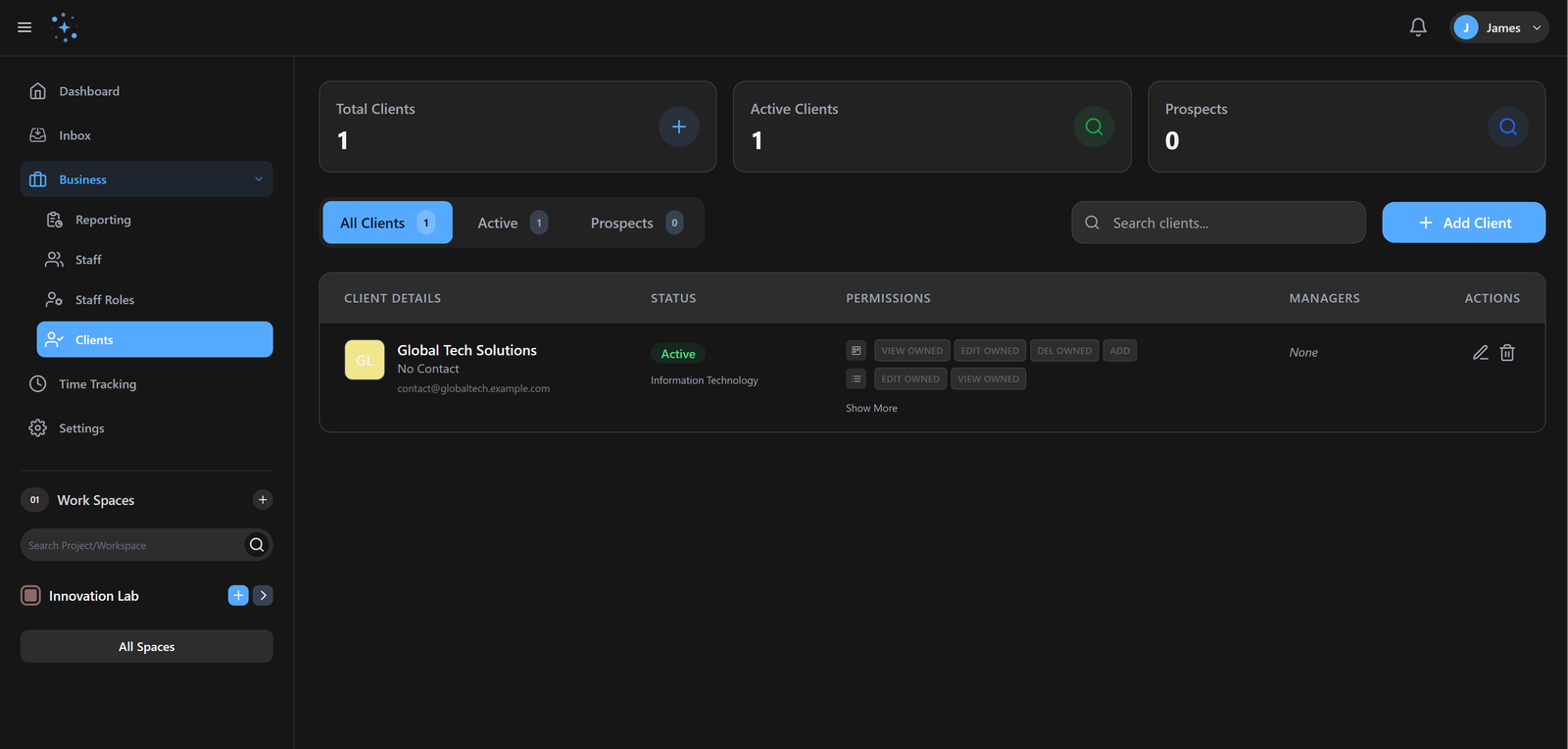
Give your clients a front-row seat to their projects. Our white-labeled client portals foster trust and transparency while keeping everyone aligned.
9.8/10
Trust Score
95%
Client Ret
How it works
Get up and running with Client Management in three simple steps.
Invite Client
Send a secure access link to your chosen client.
Set Scope
Define specific projects and tasks the client can view.
Launch
Enable the branded portal for a professional experience.
Custom Portals
Invite clients to their own dashboard. Control exactly what they see - from high-level progress charts to specific line items.
Branded Experience
Apply your brand's colors and logo to the portal, providing a professional and consistent interface for your clients.
Gennie vs. Legacy Tools
Why high-performing teams are making the switch.
| Capability | Gennie | Alternative |
|---|---|---|
| Branding | Full Whitelabel | Vendor Logo Only |
| Visibility | Task-level control | All or Nothing |
Built for elite teams
Engineered to eliminate friction and accelerate delivery.
Professional Image
Branded portals and polished reports impress clients and win more business.
Seamless Collaboration
Clients can track progress, provide feedback, and approve work without email chaos.
Build Trust
Transparent project tracking and regular updates keep clients informed and confident.
Common Questions
Find answers to frequently asked questions about Client Management.
Ready to ship
faster?
Join 1,000+ teams using Gennie to build the future. Zero setup cost, zero credit card required.