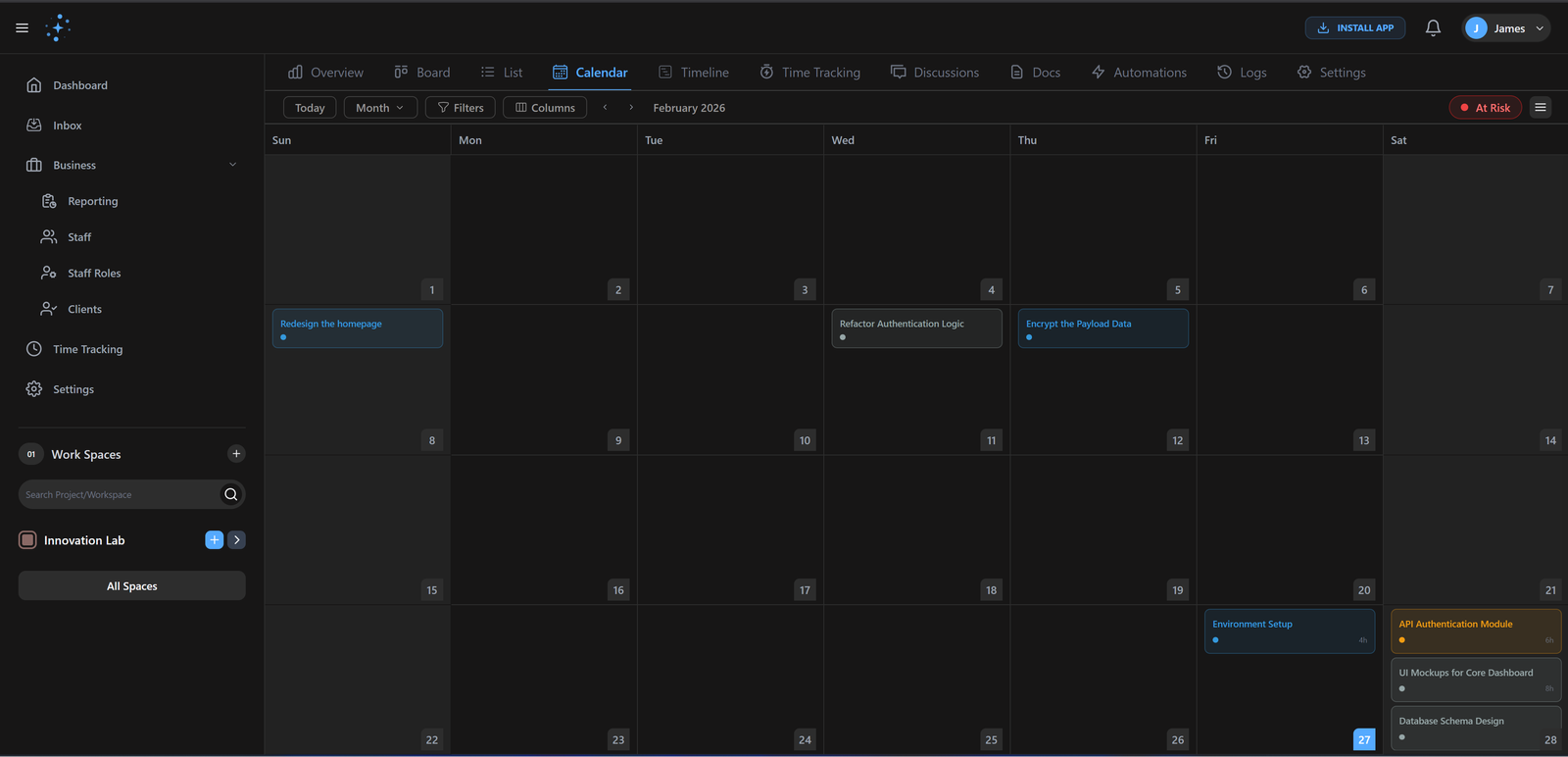
Calendar View
Map out your deadlines and milestones with ease. Our Calendar View helps you visualize your team's throughput and identify busy periods at a glance.
2-Way
Sync
Day/Wk/Mo
Views
How it works
Get up and running with Calendar View in three simple steps.
Sync Cal
Connect Google/Outlook to see all events in one place.
Plan Work
Drag tasks onto available time slots to block time.
Track
See what's overdue and reschedule with drag-and-drop.
Drag-and-Drop Scheduling
Reschedule tasks by simply moving them across the calendar. Every change updates automatically across all other views.
Deep Workspace Integration
Your calendar isn't an island. It's connected to every task, sprint, and document in Gennie. See upcoming releases and team milestones in one unified view.
Gennie vs. Legacy Tools
Why high-performing teams are making the switch.
| Capability | Gennie | Alternative |
|---|---|---|
| Syncing | Instant 2-Way | Slow/One-Way |
| Reschedule | Drag & Drop | Edit Date Field |
| Visibility | Multi-Project | Single Project |
Built for elite teams
Engineered to eliminate friction and accelerate delivery.
Perfect Timing
Smart scheduling suggestions and conflict detection keep your calendar optimized.
Never Forget
Customizable reminders ensure you're always prepared for upcoming deadlines.
Universal Sync
Two-way sync with all major calendar platforms keeps everything in one place.
Common Questions
Find answers to frequently asked questions about Calendar View.
Ready to ship
faster?
Join 1,000+ teams using Gennie to build the future. Zero setup cost, zero credit card required.